

A-Team Group Webinars Troubleshooting
Joining the webinar on Contrast
- Please test the Contrast webinar link right away. A moderator is not required for you to access the contrast space.
- Check the Contrast link using the computer and network/location you’ll be using for the live webinar. ie: webinar from the office, test at the office.
- Please be prepared to use a personal device (phone, ipad, personal computer) if all other IT efforts fail.
Browsers
- Contrast does not work on Safari
- Please join using Chrome, MS Edge or Firefox
- Each browser has their own permissions for allowing camera and microphone access. See the permissions section below for a visual for each browser.
Firewalls & IT
- Once you click the contrast link and find you cannot join, please let your IT department know right away to give Contrast access.
- If your IT department is unable to provide help and you cannot access, please test using a personal device. Mobile phones and ipads work well for the live webinar.
Test calls
- As a standard all of our test calls are scheduled at least a week before the live webinar. This is a quick test for our team to confirm you are able to access Contrast and handle any technical questions.
- If you cannot join the scheduled webinar test time, it is imperative you test Contrast on your own right away. If you are unable to access and cannot join the scheduled test, we will work with you to schedule a separate test.
Browser Permissions
- Google Chrome:
- Permissions should automatically pop up, asking to give Contrast access to your available cameras and micrphones.
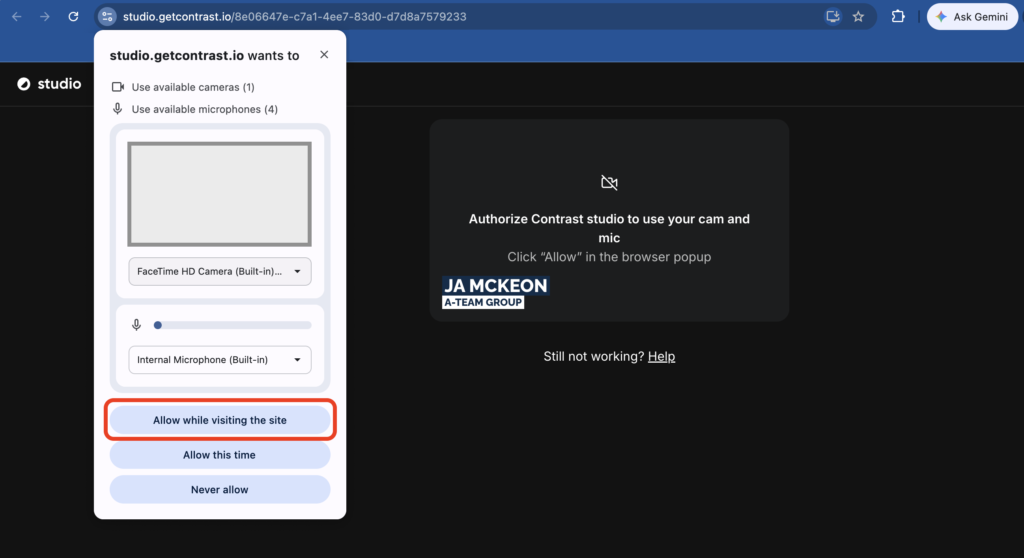
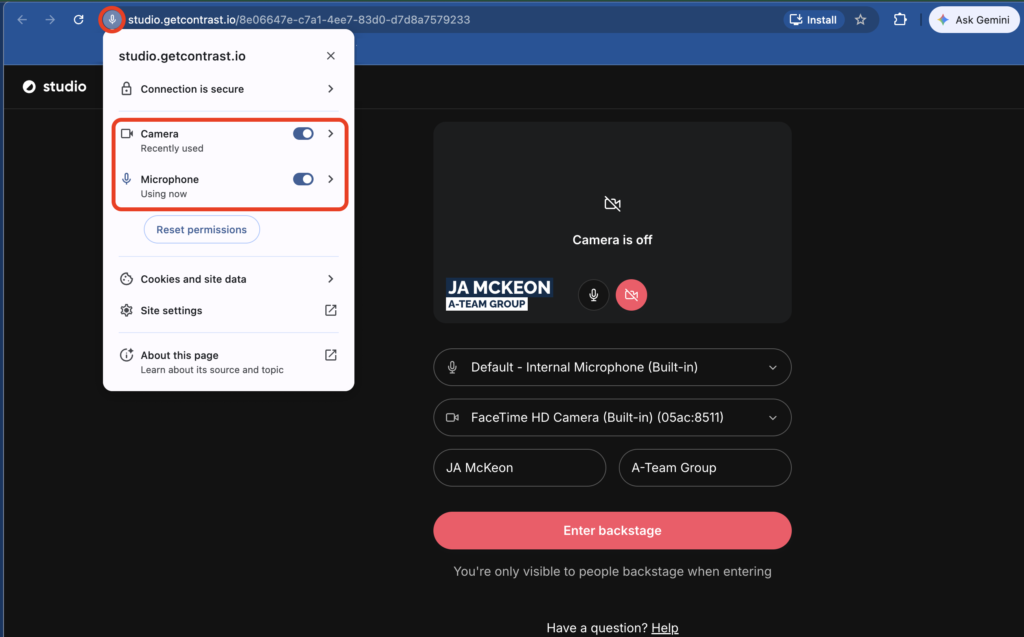
- To manually allow, click permissions icon is at the start of the url bar
Who should I contact for help?